Showing posts with label iPad. Show all posts

Monday, September 8, 2014

Writing Skills

Yes, this blog post starts on the paper above.
Of course, you can use the built-in keyboard, as shown, or a Bluetooth device for improved accuracy. As you can see, symbols can be added, or as you can't see, the app capitalized Stone Age for me. Some auto-correct works and text can be tap-selected for editing so Hanx Writer might be a bit more neolithic than paleolithic.

Documents are saved to .PDF format to preserve the special font used (optional, in-app purchased typewriter skins have different fonts) so one can't easily edit a document on another device or in another app. Andy Ihnatko describes how he wrote his review of Hanx Writer with the app itself and exported it for publication at the Chicago Sun-Times (here) but the whole business sounds laborious.

Still, I like the tappity tap of the keyboard, the ding-carraige return, and the need for focus on what I'm writing. In the latter respect this app is very much like the no-nonsense approach of IA Writer (for Mac or iOS). There is no getting lost in formatting options, layout, or other distractive elements. The words take center stage, a good simulation of the thoughts-to-paper experience of using a typewriter but IA Writer is tappity-free. Mores the pity.

I'm not the only one who likes the soothing sound of the machine doing my bidding. It seems that The Times has a plan to pipe in the sounds of newsrooms past with the constant flow of typebars pounding paper-clad platens at the behest of harried news hounds pounding out a story. They hope the soundscape will encourage productivity in the workforce.

Good luck. White noise is often a good thing, but for me that often means letting my iPad run Koi Pond HD for the lovely, natural background noises (and to occasionally poke at fish). I look forward to the results of the newsroom test and have Circa set up to follow the story.

In the mean time, I'm practicing my typing ... tappity tap tap tap tap ...

Saturday, February 22, 2014

Our World v. Blocksworld

At Home Depot (a massive, warehouse-like construction supplies and equipment store in the United States) today my iPad was pretty helpful. I was able to look up items for comparison, take pictures of things to show my mother since her vantage point in a wheelchair was really a disad-vantage point, and to sketch ideas. Later, while waiting for my steak (!!) at lunch, I was able to play Blocksworld, Linden Lab's iOS-based 3D building game and think about what Our World in Second Life could take from this mobile world.

First, the building interface is super simple. Well, it is aimed primarily at kids so that's probably a given. Drag pre-shaped blocks or other items from a toolbox to the virtual ground then change dimensions and/or placement with simple tools. That is how I re-created my deck from Second Life in Blocksworld:


After setting up the blocks I dragged-n-dropped some colors and a texture and *boom* it was done. This was more of a "see if I can do it" exercise. I can save it but it isn't easily moved and I have no idea for what I'd use it, but I spent 10 minutes while eating popcorn and sipping Mt. Dew, so there is no waste, really.

Blocksworld seems to be geared more to vehicles and creating games which involve vehicles. Most of the build kits one can buy with in-game coins fit this description though many of the user-created worlds (and the contents thereof) are split between gaming and creation for creation-sake, like my deck. Lots of possibilities and some very simple tools, like drag-n-drop to script.

In Second Life I can't script my way out of a paper bag. Sure, I can make the bag, but ... anyway, if I can't use some pre-written scripts or get someone to script for me, I couldn't make a car, for example. Some 5 minutes in Blocksworld and I'd have a car with steering, reverse gear, and lasers. Drag a wheel to the ground then drag "scripts" to it. Bam. Do that again and you have most of a bicycle. Twice more again and you have a car, more or less.

Now imagine Second Life with a similar builder toolbox. Beginners could get started right away making something more sophisticated than a chair. Talk about generating excitement! Talk about potential Resident retention!! Not only could n00bs catch the building bug right away but non-builder residents would have a very simple way to enhance all their in-world purchases. Look inside any Linden Home (ahem ... privacy first!) and you'll see that a majority of residents have cobbled together walls and floors to enhance their homes. Simple stuff, but so many people don't really know how to rez a prim. When I joined Second Life there were people who hung out at Help Island and sandboxes just to show new Residents how to rez a prim. Not so much these days.

Another feature that SL could import from Blocksworld is the idea of easily sharing your creations. In the iOS game user creations are featured in a couple different ways and any user can play with these builds at any time. The Lego MMO of a couple years ago had such a feature and so did the former CloudParty virtual world. SL has the Destination Guide, but a category like "Come See What I Made!" could be added. But that would work best with one more Blocksworld idea ...

Visit "worlds" created by other users and play with their builds!
Every Blocksworld user has their own "world" – a build space they can call their own, with a  pre-set landscape, roads, some water, and even some atmosphere effects. It's pretty cartoonish, but you can actually have several build spaces, naming them for different purposes. No, that's not practical in Second Life, but I have an idea. Give every resident some land. Mainland is incredibly empty. Give non-Premium members 512m2 free to use on the vast, empty Mainland. If they don't want it, they don't have to use it. Premium members could still have a choice of a Linden Home (a great value, I think, compared to just a 512m2 parcel) or they could have 1024m2 of Mainland free to use instead. Like a Linden Home, these lands could not be sold, merely exchanged for another parcel somewhere else or simply not claimed. But everyone would have a space associated with their avatar where they can build and show off what they build. There'd have to be a mechanism in place where folks like me who have met our household's maximum allowed number of accounts would have our land options limited, but ... well, details. I think that that idea is a good one over all and should stimulate account retention.

Maybe when I help put up new window treatments tomorrow, hang some shelves, or help swap out the shower hardware, I'll see other features of Blocksworld that might transfer well to Second Life. Or maybe I'll just be tired enough to flop into my bed with my iPad and build stuff in Blocksworld. If I do come up with more ideas, though, I'll be sure to blog about them.

Friday, February 21, 2014

Minimum Hardware Requirements

Zyx snuck into my apartment and was using my iPad today.
Consider the following:

  • Several different and unrelated posts on My Second Life this week continue on-going discussions from elsewhere on the Interwebs about how poorly Second Life functions on Macintosh computers compared to Windows computers.
  • My brother's iMac now sits near mine so I can watch DVDs while logged into SL because he finds it too outdated to effectively run Second Life.
  • We have three iPad Air tablets in our house, an iPod Touch, and an iPhone. These devices account for some 90% of our household data usage in any given time period.
  • Just today my brother noted on a social media outlet that if we didn't have Second Life accounts, we wouldn't need desktop computers in our house. That's funny as I've pointed out the same thing to several friends in-world on different occasions.
  • Recently I passed up a great deal on several image editing applications for my iMac because it occurred to me that if it weren't for SL I wouldn't really need them.

Still, with some regularity I price out a replacement for my late-2009 27" iMac and I have a couple different "standing" desks in my Amazon WishList should someone get the urge to replace the plastic fold-up thing I use now. And I always look at desk chairs in stores because if I don't get a new desk, replacing the old church function chair I sit on would be really sweet. All because of Second Life.

Do I need a desktop computer (or a laptop, for that matter)? I read news and comics on my iPad. The iPad and my iPod are my gaming machines (including Blocksworld from Linden Lab). Amazon Video? My iPad, of course. I use my iPad so much I'd like to have an iPad Mini, too, so I can have two screens.

The current generation of iPads could probably run a Second Life client though I imagine that there are rules and restrictions from The Lab that give app authors pause. Maybe our new Fearless Leader Ebbe (Altberg) Linden (Web) will look into the world's most popular tablet computers as a means to stabilize Second Life's population numbers. I'd almost settle for a client that could let me run Linden Realms on my iPad but the full SL experience would be better to have.

Thursday, September 19, 2013

2nd Screen Time

Many of you know that I love my iPad Mini (and my iPod Touch) for letting me communicate with non-ASL speakers via Facetime, Messages, Proloquo2Go, Penultimate, and even just Notes. But I also do some gaming when I'm not near my desktop computer to log into Second Life. Here's a sampling of what I'm playing now (and check here for past posts in this vein).


The game I play most often is Fairway Solitaire HD by Big Fish. As the name and picture indicate, it's a game of cards based on the solitaire format, but there's a twist ... you're playing golf!! Since that Seven of Hearts can't be played, I can draw a club from my bag (bottom right) or tap the draw pile in hopes that another card can be played. The idea is to clear the field thus finishing the "hole" while leaving as many cards in the draw pile as you can. That affects the stroke count of the hole as if you were golfing. Hazards such as rough, sand traps, and water barriers are on most courses and a pesky gopher can pop up at any time leading to fun mini games, penalties, or even bonuses. If you can fill the shot meter top right via continuous play streaks, you can earn game cash to buy extra goodies like new card backs, special games, or game enhancements (of course, you can buy game cash with Real Life cash). I play at least 2 courses (three to nine holes each) in this game every day. It's fun even without the hilarious commentary from off-screen sports analysts and the antics of the gopher.


Lego Batman is also fun, but not as easy to pick up and run with for short periods like other games nor is it as fun as the Lego Harry Potter titles for iOS. But I got it free (lots of big titles pop up for free with some regularity in the Apple App Store) and it's Lego, so I won't really complain. There is less running around to gather "studs" (the in-game currency) and mini-challenges than in the Potter games with more emphasis on battles, but that's the difference between the two fantasies outside these games, too, so all is as to be expected. My fingers stiffen up rather often through out the day so there are times I can't play this or similar games and if you don't like games that require some dexterity, then Lego Batman isn't for you. Still, it's a bit of a romp and a good diversion.


Coming in as just plain strange is Momonga Pinball Adventures, the only game I know where one is expected to liberally slap around a cute, fuzzy little creature. The big panda is a teacher and little Momonga (the small flying squirrel-thing on the ground in the pic above) has to learn combat skills such as flying, rolling around on grassy plains that resemble a pinball table, and suffering the whacks of paddles while smashing some things and rolling over other things. You'd think that with four legs s/he'd do more running, but I guess the paws are about as useful as the wings in combat. Between matches, there's some nonsense dialogue with closed-captioning for the critter-speak impaired, all part of a story that I can't really get into much. For the most part this diversion is a fun and very challenging game of pinball with some really stylish graphics.

Aside from these games, I do a crap-ton of reading so the Kindle reader, Digg, Instapaper, and more are on my main screen (and I adore Circa News on my iPod). My brother downloads a lot of textbooks (former teacher's habit, I guess) so now and then I peek at those since we share the iTunes account. I'll also poke at his games, too, like Star Wars Pinball, Infinity Blade, Angry Birds, and Full Deck Solitaire.

What do you do for gaming when you aren't in Second Life? Do you game on tablets or mobiles much? I'd love to read your comments.

Tuesday, May 7, 2013

My Non-SL Day

Real Life keeps me busy. I'm sure it keeps everyone busy, but lately I've been extra busy. Well, if you count sitting in my Mom's room with an iPad, keeping her company for most of the day "busy." The iPad is important because I use it to talk to Mom, most in writing via the Penultimate app but sometimes via Proloqu2Go.


But I also get to have some fun with games, keep up with people via Message, Facetime with my brother, read books or the news, surf the Web, watch videos, and look up things for Mom when she's not well enough to grab her own iPad. My iPod Touch is always in my pocket with the "dumb" phone I have for texting non-iOS people (I can text for 911, for example).


I like USAToday, though not for in-depth news. I love Circa on my iPod Touch for very high quality news summaries. Flipboard is mostly annoying. For weather I primarily use WeatherBug.


Our house has Netflix and Amazon Prime subscriptions so it is not hard to find a good video. Via Comcast apps I can change channels on any TV in the house or watch other on-demand content. Of course there is YouTube and our iCloud video, too.


Amazon's Kindle is our family's book reader of choice because it is cross-platform and we bought a lot of books before Apple's iBooks came out. No one in our family is big on audio books, but my brother and I regularly listen to at least a dozen podcasts between us.


The game I play most often these days is Fairway Golf by Big Fish Studios. It is available for desktops and mobiles, sometimes free if you catch a promotion. Even at full price, though, this wickedly funny and challenging game is worth it.


Android does this, I think, but on iOS I can see all the open browser windows on any device we have or on my desktop computer. Above is one that my brother opened on his iPod Touch. He recently won an iPad Mini so everyone in the family can have a "big" screen to look at ... Even using AirPlay to toss content to one of our TVs via an Apple TV.

Right now, though, I have my brother's Mini and I'm pounding out this blog post in the Blogger app while waiting for the signal to make lunch. Mom has a visitor over so I'm in the living room in a comfy chair, trying to stay awake. Later I might edit this post to add links to the apps and center the pictures since I can't do it here. For now I'm off to other links and some more golf.

Sunday, March 3, 2013

Of Time & Avatars

Do you know why I like to change my avatar so often? Sure, it is a lot of fun, but take a look at my day for the real reason ...

As I've written on this blog before (see here), my friend Kaelin Westland makes some amazing avatars, most for her private use, and lately she's been giving me copies to photograph. This is her new Angel of Disease. Not sure if she plans on selling it, but I'm glad I have a copy just for the effort of making pictures for her.

My day often ends at 1AM local time (or later) and really begins then, too, as I manage to get about 4 hours of sleep before I'm needed by someone for something again. It really works out that my day is about seven days long and punctuated with naps. Then I manage another two to three hours of sleep before my morning chores. Then I collapse at my desk to read comics, the news, maybe play some solitaire, and tend my Neopets. I might get about 30 minutes Second Life time in.

Kaelin's Air Elemental  is one of my favorites. The translucent mesh body is enhanced by optional electric spark particle generators. This one (and other elementals) is for sale in her SL Marketplace shop here.
That is when Lunchtime arrives. After doing the usual tap dance with mom ("What do you want, Mom?" "I don't know, Cait." "How about eggs?" "No, nothing sounds good." ... and all that goes on until she settles on a muffin, a yogurt, and a banana) and making some Hot Pockets for me since I don't feel like making an effort, I can sit down again.

The Water Elemental stunned me right out of the box. The whole body is an animated water caustic texture. Kaelin provides two options for animation speed with this avatar. When I was given a pre-release set to test I was able to give feedback so now the avatar has optional water puddle footprints and other water drip particles.
From then until supper time, I do manage to access SL, but I'm up about every thirty minutes to get mom some ice, pretzels, find her spoon (her hankie, her remote, her iPad stylus, yadda yadda), do laundry, and the usual stuff.

The first of the four Elementals, Fire, has a partially texture-animated mesh body. The skin on the forearms and shins is cracked and you see molten "something" roiling underneath. Animated flames on the feeat, hands, head, and back complete the package.
The evening meal dance is much the same as the midday meal one but more often than not ends with an omelette for her and something heated up for me. Occasionally I have the time to make more of a meal for the family depending on what mom wants or if my brother brings home some food.

Some time past, Kaelin also gave to me her silver Egyptian jewelry set and I finally found the time to fit it up and try it on. Look for this to be my next Topless Tuesday outfit. I forget the details, but this is Tuty's "Lou Chocolate" skin, tinted SLink mesh hands, and Wasabi-Pills hair (the shaved-on-one-side style). I'm more impressed with this than I am with a stunning Isis outfit I picked up years ago (see it here).
Afterwards, I can then again log into SL (or do other things) but I really don't feel like doing much as I've probably not gotten in a nap. Most days for the last week I've fallen asleep in the kitchen, at the desk, or in the bathroom. When I get into SL, I'm really not in the mood to be "me" so the fun avatars come into play.

Of course, Caturdays and my Real Life iPad help keep me sane. I love it so much I got one iSL and pretend to read or play games in-world while I'm doing the same iRL.
No, I can't remember when I've watched a movie in one sitting or a TV show. My reading is usually done when I get to bed down just after Midnight after tucking mom in but I have to be awake should  she need anything last minute (as is often the case).


It is often enough just to be "me" iSL, though, and simply get away to some place out of my ordinary life, ignoring the constant aches and pains my RL body suffers, the miserable Winter weather of Maine, and just luxuriate in plush surroundings and to spend time with my loving wife, Angela. These little bits of paradise and the magic of fun avatars make my days more bearable

Sunday, May 13, 2012

Alt Game Life

If you think of Second Life as a game, then its a given that SL Residents are probably playing other games, too. Except for Solitaire, almost all my gaming is off the desktop computer and on my iPad. Lately, when I can get my hands on the iPad (we really need a third one in our house) I've been playing Words With Friends with my SL wife, Angela, and playing LEGO Harry Potter: Years 5-7.


It has also come to my attention that except for Second Life, everything I do on the desktop computer can just as easily be done on the iPad. In fact, if it weren't for Second Life, I probably wouldn't need the image editing software I own or the system maintenance software I've purchased or the desk and chair that make my bedroom oh-so crowded. All the Web browsing I do is often more easily done on the iPad, the one desktop game I play is also on the iPad — Full Deck Solitaire. I could even ditch Blogger and use Word Press for my blog.

Additionally, most of the games that I play on the iPad are far more expensive if purchased for the desktop, if they are available. The Harry Potter game, for example is $4.99 USD for the iPad while the desktop version is $29.99 USD. Sure, there are differences. The latter one is far richer in graphics and gives more options, but weigh that against being able to sit in the living room or kitchen or even the back deck while playing and I think the iPad version is a bigger WIN.

So why isn't Second Life on the iPad yet? The click-to-navigate viewer interface works. Various windows like the Inventory could be tweaked to allow easier tap-to-use access. Saved outfits makes changing clothes or whole avatars speedy and easy without having to use your Inventory. And the attach-on-demand HUDs feature (used for Linden Realms) would be a huge boon to making "Tablet Life" much easier.

Doesn't The Lab want Second Life to be a social platform anyway? What could be more social than being able to easily take The Grid with you from room to room in your house or place to place in your travels? And here is how they should start: Create a mobile app for using the My Second Life Feed/Notifications features. Then residents wouldn't need to use Twitter (I don't) or Plurk (my account is on 'vacation') or other services to talk about SL. The middle man is out of the picture. Then I could be running around as the adorable Ginny Weasley in the Harry Potter game and quickly four-finger swipe to the My Second Life app to respond to a notification that someone has messaged me.

Friday, March 30, 2012

Real Life on Paper

As someone who relies on her iPad (and iPod Touch) to communicate in Real Life, I check out each and every "notebook" app available so when the free app Paper came out yesterday, I was on it like a diacritical on an î (that's the little mark above the letter ... this is humor; pay attention, please).


Wow, this is a nice bit of software. When I can't use Proloquo2Go to speak – like when it is too noisy – I need to write out my thoughts. Or sometimes a sketch is better at getting things across. I can also keep complete thoughts ready to show in a hurry – "Combo #2 Medium No Onion No Tomato Dr Pepper Thanks."

Actual Screen Cap from Paper and I can't wait to use it at Wendy's.

Now I'm debating on spending $8.00 on the extra tools, but since I've deleted the Moleskine app and I'm re-evaluating the others for contented use, I think I might have to spend the money.

Monday, May 16, 2011

Why Can't Second Life Do This?


Using the technology behind Citadel and the slasher game Infinity Blade for iOS devices, Castlerama made it's debut today (iTunes store) just as the viewer I'm using for SL stutters and freezes and ... *sigh*

My iPad (and now my iPad2) run these games flawlessly. My 27" iMac struggles wtih SL. Yes, I know. Streaming graphics versus local storage ... yadda yadda yadda. It's my money. I want better.

Thursday, February 3, 2011

Location, Location, Location


With the latest update that hit my Macintosh, I can use my iPad in one room to send content from iTunes on my desktop computer in a second room to my AppleTV in another room. What does this have to do with Second Life? Nuffin'. Its just cool. I'm still waiting to be able to stream DVDs from the computer to AppleTV, but that doesn't keep me from being impressed.

Saturday, December 11, 2010

SL in Shiny Chrome

Recently I tried the Second Life Web Viewer Beta and was but mildly impressed. Afterall, uber-brainy resident Katharine Berry had long ago developed a browser-based interface limited to text so it was inevitable that in-world graphics would eventually be added by someone. During the trial I wasn't focused as much on "gee, this is in a browser" as I was continually noting how dull the experience really was when The Lab was clearly focused more on the social aspects of being in Second Life than the access method. My test avie was always being directed to "fun places" and "places to meet people" with virtually (pun intended) no emphasis on creation or other advanced features. Admittedly, avatar customization was very creatively handled but the limited documentation indicated this feature was an enhancement to the social aspects of being in-world. Likely this was a test of more than the technology. I'm sure folks involved with trying to increase the in-world population had a firm hand in what was going on. In all, there was a sense of "something is up" about the whole thing.

Then today as I was reading Andy Ihnatko's Chicago Sun-Times post "What does Chrome OS and Google notebook mean to you?" it struck me where SL on the Web is going: To The Cloud!


Google's idea, far from new, is that any computer you use will behave the same way, use the same applications (apps), and store information in a network-based space. I think it was the NEC company that pushed this idea long ago and it was then called "thin clients" ... the machine in front of you is simply a dumb terminal and all the "real work" is done on a networked computer somewhere else. That "somewhere else" is "The Cloud."

With Cloud SLing, The Lab wouldn't have to worry as much about viewer development, hardware compatibility, third-party viewers, and all the related expenses that come with such diversity. Innovation and control of our experiences would be firmly back in their hands. It could also lure more people into the service, like those who have Apple iPads but don't use traditional computers. People like my mother. Seventy-four years old and taping away for at least six hours a day, nary a clue that she really has in her hands a computer far more powerful than the first one I used to access Second Life over five years ago.

A Second Life app for the Web browser or for devices like the iPad or the next generation of televisions shouldn't be too hard. In fact, one is likely to appear soon, I imagine, considering the limitations of current options for the ever-increasing number of portable devices. Pocket Metaverse, one of two viewers that I can find for iOS devices, is fine for occasional use, but without graphics, it is somewhat of a nuisance to use. So bring on The Cloud! I don't think we will have long to wait.

Sunday, September 12, 2010

Third Life

Recently I mentioned (Web) that changes from Linden Lab have encouraged me to spend more time with my Apple iPad, part of my Third Life of living virtual. It's an extension of what I've been doing with my beloved iPod Touch (Web). Of course I read books and listen to music on my iPad, as well as watch videos, play board games, and more, but I have several apps that enhance my Third Life.

Koi Pond, from Blimp Pilots (Web; iTunes on the Web) is back, but bigger and better. Now I can build my own ponds by placing each element just where I want, adjust all aspects of the light and water, plus control sound and wildlife. It's like making a pond in Second Life (SL) without worrying about prims and scripts. This picture is my creation. I could have used one of the pre-made ponds or edited one. The app needs to have an option so that I can watch it without having to occasionally tap the screen to keep the device awake. It's like having a nature sounds generator and a pretty picture all in one.

Pocket Pond (iTunes on the Web) does have a no-timeout option and is more photorealistic but doesn't feel as warm. It is nearly as customizable as Koi Pond out of the box, but with an upgrade more customization is possible and you can catch the fish. I like the thunderstorm feature. Both ponds let you feed the fishies and both are pretty darned relaxing. I can't pick a favorite, but I tend to use Pocket Pond more while by iPad sits on a stand beside my computer. Don't look for the publisher's Web site to be of any help, though. It doesn't acknowledge the app's existence so I didn't even put a link here.

Distant Shores, also from Blimp Pilots (Web; iTunes on the Web) is actually the same app that I have on my iPod Touch, not an upgrade for use on the iPad. By doubling the size the graphics suffer, but "walking the beach" is a bit nicer in that my hand doesn't get in the way as much. The objective is still to find messages in bottles and to gather shells to earn empty bottles for your own messages. With the iPad, creating messages is much easier because the keyboard is bigger. In a way, Distant Shores is a very basic social media app for communicating with random strangers but without the pitfalls of using Chatroulette. I keep hoping that I could actually go inside my hut (pictured here) or run across people, but since I don't have an avatar myself, just disembodied footprints, there wouldn't be much point to that. Hopefully when the app is updated for the iPad's larger screen, the Bimpies will add synchronization between devices. I have messages on my iPod Touch that don't show on the iPad.

Gylder2 (Web; iTunes on the Web) does have an avatar, and as you can see, she's adorable! The orginal Glyder on my iPod Touch was a lot of fun, but soaring on a bigger screen with even more challenges and scenery is a lot more fun. I can spend hours with this app just flying around. I do that in SL, but with my Mac's wireless keyboard and the world's inherent lag, it is something of an effort. With Glyder2 its all fun. There are missions to collect gems and perform specific flying patterns, each letting you earn special clothes or wings, but the sheer joy of the experience is often enough.

Citadel (Web; iTunes on the Web), is all about experience, too, as it is not really a game, but a demonstration of the technology behind an upcoming game. I mentioned it sort of in passing on this blog a few days ago (Web) but didn't say much. If you have an iPad, stop now and get the free download. If you don't, look at the picture and drool. As you wander through a castle's keep and through its outer ward you are treated to a visual feast. It is like being a tourist in a deserted place. Look at anything you want, as long as you want. Sadly, you can't go inside the buildings save for one very spectacular build nor wander outside too far, but like Second Life, there is no set goal to this not-game. The idea is to simply enjoy the environment. Eventually, Epic Games will release some twitch-n-slash title that uses this environment and while I am terrible at "physical" games other than Wii Bowling, I'll probably buy it just to see more of this gorgeous world.

Photopedia Heritage (Web; iTunes on the Web) also has fabulous architecture, but in the form of spectacular photographs from UNESCO World Heritage sites, like Notre Dame de Paris, shown here. If you don't read the in-depth descriptions, delve into the Wikipedia articles, or scan the maps, you will still find leafing through the images a thrill. This is not a virtual life, but real life lived virtually. You'll wonder why your Geography and History classes sucked so much (mine didn't, but I'm that kinda geek) compared to this app. I haven't found any multimedia yet, but I'm still poking around randomly. If you are heavily OCD and want organization then you can have it, but it may not be as much fun as exploring.

Which is why I love Second Life, to get back to our shared world, for a moment. I seldom keep landmarks, but I have a folder of full of them for just "Cool Builds." These are places that are visually exciting, cleverly constructed, or engaging based on the activities. SL is full of places like this. Sadly, like Real Life, it is also filled with "un-Cool Builds" and I find my way back to my iPad.

Cro-Mag Rally (Web; iTunes on the Web) was a free app at one time and I got it to remind myself at how badly I am at this sort of game. I don't drive well when there is a computer involved, wether it be on my iPad or in Second Life or on any console system. But this game is a collection of cute little virtual worlds and despite crashing into everything, never winning a race (I often come in 7th or 8th in a 6 person race), and generally mucking up everything, it is still fun to hold my iPad (or iPod Touch) as a steering wheel and wander about. By luck, I guess, it has become part of Apple's Game Center (Web) so now I can humiliate myself publicly. Or humiliate my brother as our iTunes account is in his name. Social networking and virtual worlds. Who would have thought of it?

I won't bring up Angry Birds (Web; iTunes on the Web) because it isn't really a virtual experience, despite a storyline. Though I suppose I did just bring it up. So I won't mention the Volkswagen-sponsored racing game that works like Cro-Mag, nor the great pinball games, ball bearing-in-a-labyrinth games, or other such things that I play. Goodness knows that unless you've been hiding under a rock, you've heard about the games and other things you can do with iPads and such so you can assume that I do those, too. But they are not part of what I call my Third Life, living virtually outside Second Life. They are just ... life, something we all have to do every now and then.

Wednesday, September 1, 2010

What SL Should Look Like

At today's Apple event, some folks from Epic Games introduced a free app to preview an upcoming title, Epic Citadel, for iOS devices (Web). It is is what Second Life (SL) should look like. To the left is a screen shot from my iPad and it barely does justice to what you really see. As amazing as Windlight is on my 27" iMac, it is shamed by the dynamic lighting and atmospherics in Citadel running on a mobile processor. Motion is flawless and everything is rezzed the instant it comes into view. I know, I know. Streaming versus local storage. But aren't some or many textures stored locally for SL? I'm no technical whiz, but I think it comes down to mesh versus prims.

According to information given at the Second Life Community Convention last year (Web), mesh, the same rendering tech that gives our avatars but is not accessible to users for creation, is coming to our world for everyone. And it looked to be on track as late as June 2010 when noted Resident Dusan Writer blogged about it (Web). But with T Linden gone and now Qarl Linden (the mesh magician behind the project), our world isn't likely to look like Citadel anytime soon.

I love my iPad. The Lab keeps giving me reasons to love it more.

Thursday, April 1, 2010

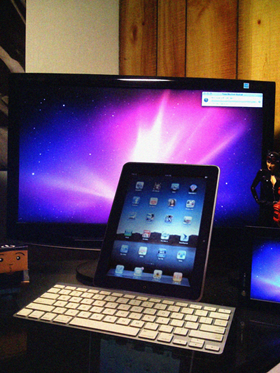
Apple iPad: Serious Want

Mohammed F. Haque (AKA "Hawk"), the artist behind AppleGeeks (Web) has an iPad today! No, not really. This pic is a fake for April Fools Day. But another celebrity, actor/comedian/author/nice-guy Stephen Fry has one and he wrote about it for Time Magazine (Web). Well worth a read even if you are not interested in the device at all. If you are interested, then also check Andy Ihnatko's posts for the Chicago Sun-Times ("Is it a real computer?" Web; "iBooks is worth the price ..." Web).

Am I getting one? Eventually. I love my iPod Touch and the iPad is a very big version of that wonder. But from what I've read the differences (easier content consumption, actual content creation, and huge screen) will make it worth the cost and while to get one. Unlike the Touch, it likely won't leave the house at all. But I'll have similar uses: Looking up information about what I'm watching on TV or DVD, Web surfing, staying connected away from my desk, etc. With the faster processor and bigger screen, these tasks will be a lot more fun. Now bring on the Second Life app!!