Showing posts with label photography. Show all posts

Wednesday, January 7, 2015

Second Life Yearbook Photo Challenge

Strawberry Singh is back with blogger memes and I had a few minutes to kill, so ...

"Share an image of your Second Life avatar smiling for a yearbook photo" (orignal post here).

I decided to re-create my high school senior yearbook photo but thought "maybe I should't post a blank image." Since 5th grade my picture never appeared in school publications because I always refused to participate. Starting in 8th grade we all had to have our photos taken for security reasons. Sure, years after I was kidnapped,* they wanted a photo. Locking the school door after the fire started, I guess, or something like that. We all needed photos.

In my senior year we were all to go to a studio in town for those really nice formal sittings that seniors get, but since I wasn't going to do that I had to line up with the 11th graders and let the visiting photographer snap a pic and try to talk me into getting those cheesy portrait packs to give copies to friends and relatives. Didn't happen. It is very rare I even appear in the family photo album. One of the reasons I got a camera was so I could be behind it.

The funny part is, my senior picture got lost. The guy couldn't handle the concept of separating it from the juniors sets and managed to separate me all the way to the cutting room floor. So what I re-created for here is more or less what I looked like at the time. Set your Way Back Machines® for 2006.

Click to embiggen or see on Flickr.
You can't see it from here, but my hair was down to my butt. I wore the cheapest eyeglass frames possible, no makeup, and the only clean hoodie I had. In Real Life it was a zip-up bright green one whereas all my usual ones were dark colors. Sorry, but this one is blue. One of my many Disney t-shirts capped the outfit. Jewelry? I owned one necklace and no earrings. Since people could grab you by the necklace, I almost never wore it.

The photographer often commented "I'm glad you unzipped your jacket" while constantly leering at my chest and trying to take a few shots with my torso showing. One of his really nice Broncolor lights met an untimely death "by accident" while I was zipping my hoodie on my way off the auditorium stage where the pix were being taken. Oops. Maybe the most expensive leering he's done, I'm sure. At least he didn't cop a feel or I would have heard what a Mamiya 645 sounded like when hitting the hardwood.

Second Life should have a yearbook because every Profile photo is a special statement. Sometime when you are bored, perv some profiles and I think you'l agree.

*Read through the blog a bit and you'll learn about this.

Tuesday, July 29, 2014

Topless Tuesday with Xandah


When my wife logged in last night I was browsing for studio props on the SL Marketplace and showed her a camera with poses from What Next. A few minutes later, it was in my Received Items folder, a gift from Angela. Clearly, she wanted me to use it so I did. A few minutes with Xandah and another prop I found at Magnificent Poses then a few more minutes in Pixelmator ... BAM. I got my Topless Tuesday pic! Look for more in the Topless Tuesday in SL Flickr group here.

Tuesday, July 8, 2014

Topless Tuesday with Pixelmator

After creating a simple but still nice set in an adult sandbox, choosing a pose and wardrobe, tweaking the lighting just right and then breaking it all down and logging out to put some final tweaks on what could have been a very nice Topless Tuesday pic ....

I saw the shadows. Right there on the flat backdrop that I had intended to blur out. Shadows that wouldn't have appeared if I had used a 3D background instead of a textured prim.


Instead of popping into Acorn, a fast and simple photo editor that I love, and doing the minor tweaks I knew the image would need I decided it was time to finally learn the feature for which I bought Pixelmator, the "paint to select" feature to remove the unexpected and hitherto un-noticed problem. If you have any experience with image editors then you know that making complex selections is hard and removing elements is well-nigh impossible. People who can afford Adobe Photoshop can wave a "wand" and poof the unwanted bits are gone, perfectly blended with the rest of the image. A great feature for $9.99/month. I bought Pixelmator for $29.99 total. Once. And it does the same thing, as you can see below.

Click to embiggen any image or visit this one on Flickr in the Topless Tuesday in SL group.
Happy Topless Tuesday!!

Saturday, June 21, 2014

SL11B - Embargo Lifted!

The official Second Life 11th Birthday blog has published more than a few sneak peek pictures of the event in the building stages as have quite a few Residents on their blogs and on their MySL pages. Many of the pix from the latter forums turned out to be more than carefully cropped previews, but no one went all Snowden on the event. Some of the mystery is preserved. I held off until today and here are some of the images I've been collecting since I was given access last week. These and more can be found in my SL11B Flickr album. Many more will be posted directly from the Second Life "Share" viewer I'm testing. The event officially opens June 22 at Noon SLT.

My job this year was to be Doc Gascoigne's body guard.
Whenever he was AFK I'd protect him with a tub of lime Jell-O®.
Pygar Bu created a lovely stage complex for the Auditorium. The detailed, bucolic setting has paths to explore, prep stages for presenters, and a spacious main stage.
Did I mention there were snacks? (SLurl)

On rehearsal day at the Auditorium I watched Hamayu Andel and a Modern Chinese Ballet go through their act. Clear your calendar for June 26th at 6PM SLT to see this amazing performance. Amazing music, gorgeous sets in brilliant colors, and a great story, too. Must See! (SLurl)
These next three images are of the Bay City exhibit (SLurl) crafted by Marianne McCann. It has a very 60s vibe to it and is a good reflection of corporate promotional style. Be sure, as with many of the exhibits, to have Advanced Lighting active to see the intricate details that Mari has added. This is the future of Second Life, people. Get used to it.


The Cake Stage (SLurl) is another amazing build. Loki Eliot is always pushing the envelope in everything he crafts and this venue is no exception. Again, use Advanced Lighting when you can.

Multi-region bridges connect all of SL11B to the Cake Stage, with lights pulled right out of the Tron movies pulsing, swirling, and flowing. Fly around out side and you'll see some cool sculptures, too.
Inside the Dome. It would be a crime if you attended an event in the Cake Stage and didn't fly into the dome. Imagine this picture in 3D and moving.
Look for the VIP boxes. There be gifts hidden in them. Plus, look a the stuff near the seats on the dance floor and click the white buttons. Heck, click everything!! Loki is a master of details.
Just wandering the regions is fun, too. Here is a typical scene. Just like Mainland SL you'll find jarring juxtapositions and harmonious habitats so wander around on foot for at least some of your visit. Many buildings are very tall so do some flying, too.

Just a street? (SLurl)
One of the Time Capsules near the Welcome Area (a treat in itself) (SLurl)
Above is one of my prides and joys, the Time Capsule for SL7B. That year I won the design contest so I have a lasting presence on The Grid. Each year some of the past Time Capsules and select items donated to these repositories are set out to show people what Second Life looked like in years past. Go here to read about this year's contest.

Lastly, a reminder to look up. Not all you can see is at ground level. Cam, climb, or fly and you might see ...

Somniatis - Ascension of the Digital Consciousness (SLurl)

Tuesday, April 22, 2014

Monday, February 3, 2014

B&W Self-Portrait Meme

Apparently, people like photo themes for Strawberry Singh's Monday Meme blog challenges. No surprise there as I'm sure many of her following read the blog for the pictures and for tips from one of Second Life's better photographers (that's The Berry, if you missed the inference). This week she's hit us with a quest for a good black and white portrait (see here).

Meme Instructions: Share a black & white portrait (headshot) of your Second Life avatar. You can post a raw shot or process the image as much as you like. Don’t forget to leave a link to your image in the comments and also share it in the Blog Memes flickr group.


So there's my portrait. My primary image editor is Acorn by Flying Meat, a fabulous application for Apple computers. I added a tilt/shift effect for some depth of field, cocked the image a bit counter-clockwise, then used the RGB filters to fine tune the Greyscale filter. I learned long ago that I like a green filter when I shoot most black and white portraits, but that was back with I bulk loaded Kodak Plus-X film and Ilford HP-5 (pushed to 800 for graininess). I was able to replicate the effect here with a combination of increasing the green channel and decreasing the red and blue channels rather than going with full-on green filtering. I wish I had that option back in the day as that would have saved a lot of work in the darkroom.


Rather than do just a close-up portrait (with Strawberry's Close-Ups Windlight setting) I also wanted to do an environmental portrait. Looking at the Flickr group mentioned above, most people went with first style as directed so I'm glad I went beyond just the one shot.


Trent Kalamack, the alt I created for some recent blog posts and a contest (tied for 2nd place!!) seemed to be fitting for this scene in my brother's cabin. That and my brother wouldn't let me borrow any of his characters. His "steampunk old man" (see here) would have been perfect. Environmental portraits tell you about the subject and subtly set a mood. They can also be more fun to light in real life than just a studio head shot.


I had to rebuild some fingers and add some shadows but for the final result I also desaturated by about 95% after adjusting the White Point then tweaked brightness and contrast. The final tone is very light and in retrospect I should have gone with a selenium tone. Expensive portraits from "back then" would be treated with selenium to give it a rich look and increase print longevity. Maybe I'll go back and do one.

I fought, fought, fought myself to NOT desaturate the image then bring back the steamer trunk. Too cutesy and not important to the final image. Spot color can be dramatic but so many people use it without thinking whether or how much it compliments the subject. I could have increased the contrast, but most don't know that images turned brownish by time (and initially not washing the print well enough) are softer than those that are created artificially. I'm tempted to grunge it up some more.

Oh, it's fun to be in a darkroom again. I don't do it enough. I could go on and on and on. Thank you, Strawberry!!

Friday, September 27, 2013

I wonder ...

Render or Real? Shang-peng Leng

The image above is a 3D render, not a photograph of a lovely woman in meatspace. I wonder when we'll see image quality like this (and some of the other marvelous renders I found at CG Trader) in a world like Second Life.

Monday, September 2, 2013

The Windlight Blog Challenge

Looks like Strawberry Singh has been laboring on American Labor Day because she released her weekly blogger challenge in her Monday Memes series today, this time asking questions about the use of Windlight settings in Second Life. Six questions with interesting answers (see here) though I'm not sure mine will be as interesting.

Before I get started, though, I think Strawberry might be psychic by coming up with this week's topic as just yesterday I was talking with a few people about how pictures I've seen on the MySL feeds and on Flickr can almost be used to identify the photographer because the images have consistently distinctive styles. This observation ties into a project that I swear I will get to one day: Take the exact same photo with the exact same settings with different viewers to judge how the various algorithms and other stuff I don't understand influence the qualities of a photo.

Meme instructions: Answer the following questions about windlight settings and share some that you’ve created yourself. Don’t forget to leave a link to your post in this meme’s comments.

Do you use windlight while taking pictures? If not, why not?
Yes, and no. For most snaps I post to MySL (see here) I don't turn on Advanced Lighting and the Sun settings are usually just Default Noon. I consider most MySL pix as casual shots one might grab with their camera phones or a simple point-and-shoot camera. For my blog or for my Flickr feed, I at least activate Advanced Lighting and more often than not actually think about using Windlight settings other than the Region Default or Default Noon.

This is Zyx Resident.
One of the first things I like to do when I have a new character (alt) "dialed in" is to make a Profile picture for them. I also use it as the texture for their basic Inventory storage boxes. As part of a new "birth" is the creation of a cube which then get is tucked into a safe part of the character's Inventory as a sort of date maker.
When taking a closeup snapshot for a profile picture, which windlight preset do you use most often?
That depends on the scene. Likely some of the background is visible so that is an influence, but generally I play with the sun position of the Default Sky to see what looks nice. As I've copied all the non-standard Windlight settings I have from various Third Party Viewers into the Official Viewer's directory, I can use specialized modeling options, but I can't recall the last time I did so.

When Zyx Flux was kitted out as a Petite pixy I had to do a full body portrait. No Windlight here as the shading on the rose was perfect and the tone of the mesh avatar body was nicely textured. Still one of my favorite pictures.
Which windlight presets do you use for full body portraits?
I don't usually do full body portraits, but in thinking about it, I suppose I have the same answer as I did for the previous question.

My scenic pictures have greatly improved in the five years since this shot of the Lesbos Mall was taken. Back in 2008, though, I was more interested in building, like big parts of this place.
If you do landscape photography, which windlights do you use for that most often?
Quite often it is a saved variation of Places Las Legunas that I made and I liberally mess with the East Angle and Time of Day. This goes against everything I learned in years of Real Life photography classes. I'd scout locations at different times of day, look up sunrise/sunset times in almanacs and the direction of the sun during different seasons, and then some. I had long debates with myself about whether it would be alright to move a branch or some natural debris in a scene. "Capture reality as it happens" was my mantra. One of the outdoor photography magazines I read at the time had a running debate on this among it's contributors from month-to-month and I'd write in with commentary. Very thought provoking but I'm not sure it did my work any good. Sometimes in SL when I de-render an object or do very unnatural things with Windlight this dispute comes to mind, but then I shoot anyway.

Do you have any tricks or tips that you could share for using Windlight effectively?
Play, experiment, shoot a lot, and then play some more. Look at what other people are doing and try to figure out how they did it. Don't be afraid to ask. Most photographers in Second Life are not as secretive as many Real Life photographers. In one Real Life photo class we learned retouching skills so that we could mask the reflections of our lighting setups in our model's eyes so others couldn't reverse engineer the final shots.

Have you created any windlights that you would be willing to share with us?
I've created a few Windlight settings, but none are really "ready for primetime" and I seldom use them. I tend to stick with mods I've created from other well-known settings. I'd be more than happy to share "finished" ones, however, and will post information about them on this blog if and when they become available.

Thursday, August 15, 2013

For you ...

My wife enjoyed yesterday's photo set so much I thought I'd shoot another one for her today, so here goes ... For you, My Love.


These will be posted to my Flickr page/groups/sets shortly.

Wednesday, August 14, 2013

Tuesday, June 11, 2013

SL10B Celebration Snapshot Contest


CC has been planing his picture for the new SL10B photo contest sponsored by Linden Lab. The winner can receive use of a Homestead sim. Oddly enough, so can two runners up. See the official blog post for details.

Saturday, May 4, 2013

SL10B: Photo Contest

PRESS RELEASE: SL10B Community Celebration "Official" PHOTO CONTEST 1

SL10B Team is thrilled to announce its first of two-photo contest this year in celebration of Second Life 10th Birthday


The Second Life community encompasses many incredibly talented people from around the world who have displayed their skills in various forms across the grid over the past ten years. This year the SL10B Team thought - “What better way to involve the residents in the celebration than to hold two photo contests?” These will allow the Second Life community to be creative in expressing this year’s “Looking Forward, Looking Back” theme.

The enjoyment of photography to express yourself and to have fun is all you need to enter, with categories for photographs simply taken inworld, and photographs that have been edited out of world with software such as Photoshop, Gimp or getpaint.

Contest 1: BEFORE the Birthday Celebrations
Contest opens Friday May 3, 2013
Contest ends Thursday, June 6, 2013 midnight

HOW TO ENTER:
SL10B Second Life Community Celebration Photo Contest 1

Theme: “Looking Forward, Looking Back” Ten Years of Second Life

Photographs submitted by the second life community should illustrate SL10 theme “Looking Forward, Looking Back” over the past 10 years. Deadline for the contest: June 6th 2013.

Rules:
- Submit a maximum of two photographs per avatar name
- Photos must NOT show the SL10B Community Celebration regions
- Explore the virtual world of second life community for the perfect picture that represents the theme.
- Pictures must be posted in the flickr group “SL10B Community Celebration Photo Contest”: http://www.flickr.com/groups/2188135@N20/
- Competitors must indicate whether the photograph is Category A (using only the tools available within the browser) or Category B (using tools outside the viewer, such as photo editing software).
- SL10B Celebration Team reserve the rights to use photograph submissions for event advertisement.
- Photos must be PG, make it family friendly keep it clean and FUN or risk disqualification.
- No text on photos.
- Deadline of submission of picture is June 6th, 2013, midnight SLT

HAVE FUN !!!

# # #

Press Release 2
The SL10B community celebration is looking for volunteers, performers, DJ's, stage crew, and exhibitors.

June 16-23 2013

Go to http://slcommunitycelebration.com/ for sign up and more information.

First come first served basis for time preferences Any questions IM Budster Bashly or Doctor Gascoigne

# # #

Saturday, January 19, 2013

In Honor of Honour

If you aren't familiar with the blog of Honour McMillan (here, but keep reading first) then you are missing out on something special. She weaves wonderfully written and rather erudite essays through the warp and weft of some fabulous photography to show us her unique perspective on Our World.

Beguile (SLurl)
Her pictures primarily feature art exhibitions in Second Life, certainly one of the best reasons to explore Our World, but she also photographs lovely landscapes and notable sights. How she finds them all, I don't know. Certainly she knows a lot of people who recommend places for her to visit (I'm guilty of a few of those myself), but it is clear she gets around, too.

Beguile (SLurl)
Her writings vary from eloquent expositions on the subject she's photographed to deep and meaningful essays on the human condition yet each is done with skill and humor (or is that humour?) and all are entertaining. Translation: She writes good.

Beguile (SLurl)
So when I visited Beguile, the subject of my photographs, I thought of her. "How would Honour photograph this place? What insights would she take from this experience to wrap up in a wonderful, homespun homily?"

Beguile (SLurl)
Then I said "F#ck It!" and played with lots of Windlight settings, finally coming up with the combination of [TOR] Coral Reef Water and Orange Incubus Windlight along with some patience, playing with angles, and deciding whether or not to use all the fancy graphics options or not.

I hope you enjoy the pictures and that they encourage you to play in Second Life. With any luck you enjoy reading my blog sometimes, too. But you should really check out Honour's blog and her pictures.

Sunday, January 6, 2013

MySL: What I've Been Doing

While I work on a big blog post for (hopefully) tomorrow, let's take a look at some of the snaps that have recently appeared on my feed on MySL, the underdeveloped but still popular microblog.


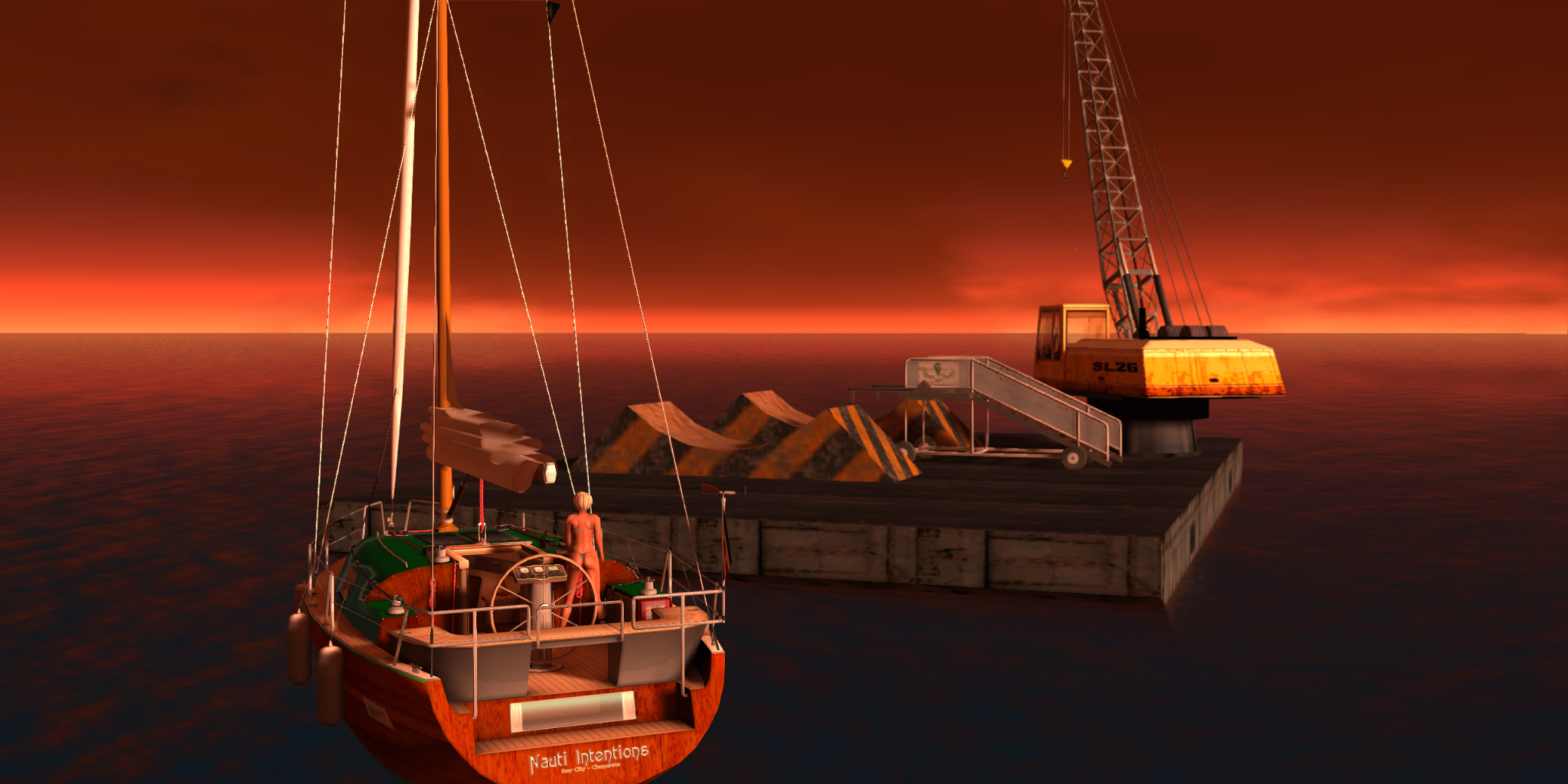
Spent a fair bit of time on my boat with my wife. An updated version was delivered about the time the Holidays hit so it took me a while to get around to personalizing the upgrade. Also, about this time or shortly thereafter I was made an Assistant Junior Harbormaster at the New Port Yacht Club. Bay City Residents can contact Alx Zeiler or me to ask about moorings and slips. (Original Post Here)


With the help of others on MySL, I was able to continue my quest to find Magellan Linden (as blogged about here). I moored my boat at the launch site of a tunnel boring machine that the Great Explorer used near Nautilus (SLurl). It was too late when I moored at sunset to dive for the tunnel, but I got a start the next morning only to find the hole had collapsed. (Orignal Posts Here and Here)


This is the control room for Magellan's boring machine. You can climb inside, too, as it is just sitting out in Mysehi (SLurl). It was clearly built by the Moles as were many artifacts related to Magellan. (Original Post Here)


My search for Magellan has taken me so many places in so short a time, including the Wilderness (SLurl), where I checked out a surprisingly seaworthy craft he used. Notice the LDPW logo? The Moles are certainly helping him. Check out this conversation I had with Silent Mole about just this topic. (Original Post Here)


MySL posts haven't been all about Magellan, though quite a few have been about my boat. It was a great place to test a "binocular" HUD ... just a simple graphic I could use to fake pictures as if they were taken through a pair of binoculars. (Original Post Here)


I find so many nice places from other people's MySL feeds. Sadly, the beach pictured above is gone. It was one of the most beautiful beaches in all Second Life. When I went back the next day, it was gone. One of the owners told me that they were changing just for the sake of changing. (Original Post Here)

I probably post 3-6 pictures a day to MySL so this is just a quick look at what I've been doing recently (Unicorns and cats and ducks! oh! My!). Check them all out here and then ask yourself "Why aren't I having fun with the Community via this unique resource?"

Wednesday, December 12, 2012

Hyper Mole's Garden


Just a quick post while I fight with my ISP about an inconsistently available connection to the modern world ...

Hyper Mole's memorial garden is now open in Rookwood (SLurl). Please drop by and spend some time celebrating the life of this extraordinary individual, a friend to all Second Life residents in or out of her role as a Linden Department of Public Works contributor. I'll take better pictures when I can get back in-world (fighting a slow public WiFi connection on my iPad at the moment). Also, check out this picture from Shigeko Tachikawa and check out her other snaps from the park here (you may need to scroll through the history to see them).

Friday, November 23, 2012

What a Difference a Day Makes

I just finished reading Honour McMillan's fabulous blog post "On Mainland & Fences & Rusty Toilets in Second Life" about her visit to Tatty Soup (SLurl) and a rumination about land in Second Life. After seeing her pictures I thought the location would be perfect for a writing topic that came to me as I was drifting into a turkey coma yesterday. Basically, how important is hyperrealism to the suspension of .... no, wait. Let's save that for another day.

As I was composing the first picture that I needed to illustrate the topic I thought about the Region Default Windlight settings. Normally when I explore I keep the Region Default set so I can enjoy the area as the buildscaper intended. Tatty Soup is set to what appears to be a modification of "Alchemy Immortalis - Fog Lifting" Fixed sky option (I peeked in the Environment tab of the Region/Estate tools .. it comes installed on some Third Party Viewers or can be found with a bit of Googling). The effect of this pre-set is perfect here. Actually, it is perfect most places, but I like fog – just this morning in Real Life I was up early, glued to the window to watch the densest fog we've had in some time. But that's all aside at this point. Here's what the region looks like (maximum draw distance plus everything but Depth-of-Field active in the graphics settings):


At this point, I was ready to break down the tripod, pack up the ol' Tamrac camera bag, and head back to the Lydia Rose Memorial Park (SLurl) to grab the next shots I needed for my original idea. Then another idea hit me ... Moar Shadows!! The picture was a bit flat. Well, snow, fog, overcast, lack of greenery, etc. So I thought "Sunrise!" and started a whole series of pictures, totally shelving my original idea. So let's look at the same shot above but changing its character via some different pre-sets.


Midnight: In the Garden of Frost and Snow. Pretty much as you might imagine it would be, but no fog. No weather at all, actually, so it is rather dull if you ask me.


Sunrise: Here Comes The Sun. As you can see, East is behind me and slightly to the right of me. This is the standard sunrise, though the East Angle and the time of day can be changed in the Environment Editor. I like how the cabin catches some of the first rays of the sun. Looks cozy.


 Midday: Checking out life in the park (thanks, Yusuf). Crisp, clear, and I have my shadows. A careful photographer with time on her hands would watch a complete cloud cycle to pick the best sky/water reflections, but one cycle can take nearly an hour before it repeats.


Sunset: Hopin' to promote a dream somewhere along the way (thank you, Mike). I did watch the clouds for a bit here to catch the faint rainbow that sometimes appears (never noticed that we had those, did you?). Still a little warm, but the over all feeling is still chilly. And far different from the region default, you'd have to agree, but all within the bounds of "normal" weather.

And that's where Day Cycles come into play. Look for them in the Environment Editor. Unlike the usual Windlight pre-sets, Cycles work with the flow of time as Second Life skies regularly do, but have some color and weather effects.


This is the Default cycle, the one that is synchronized with the Mainland. Based on the coloration and the extent to which the sun's rays reach, it looks like the time is a few minutes past the 6:22AM time where default "Sunrise" is fixed. So in effect I was in Tatty Soup at about quarter till 7:00AM, I'd guess (I could have looked at the clock at the time, but I forgot and I'm writing this about an hour later, so close enough). The subsequent pictures were taken with different cycles no more than 10 minutes after this picture, so all are morning images.


The Dynamic cycle differs little from the Default cycle, but if you look closely (and your monitor allows) you can see there is a slight increase in color saturation. As clouds and sky can color the land and water, there may be some change due to wind shifts, as well. After this, things can become strange.


The Colder Tones cycle is dark this time of day and the sun is either in the West or that is a really bright moon. Not one of my more favored settings, I seldom use this cycle for pictures.


The Pirate's Dream cycle is very, very nice for this shot. It looks quite similar to Midday, but the contrast is amped up and the sky has a slightly violet hue and that, of course, colors the water and the shadows. There is also a bit more haze in the atmosphere and that picks up the same hue.


I'm wondering if we can just assume that Torley Linden is responsible for the Psycho Strobe! cycle? I can hear the meeting now ... "What's wrong with pink and green? The Residents love it. They love ME! They'd want a pink and green cycle. What? Oh, well. Orange clouds and deep purple-blue skies. Go Broncos *sheesh*"


The Tropicalia Cycle sometimes works in tropical locations, but not often, and it certainly doesn't work here. The contrast is just too harsh. Notice the azure/topaz water, though. Cycles change how water looks as much as fixed presets do, but and the way the sun's coloring and general coloring is set gives the default water this more tropical look. You can always use different water pre-sets to change any cycle effect.


The Weird-O Cycle is just that ... weird. It always strikes me as some post-apocolyptic, radiation-enhanced thing. That's about all I can say about this one.

I've made some fixed Windlight pre-sets for places I frequent and for various photographs but sometimes I'll slip out the Dynamic Cycle just to be different. So even if you have a hyperrealistic setting like Tatty Soup, you can easily suspend ... oh, that topic again. Maybe in another post. Now go explore!